本文将简单介绍资源类型、资源的创建、访问、销毁操作。不再建议使用资源类型,使用类更为合适

资源类型

zval可以表示大部分的PHP数据类型,但有一样不能很好的表示其结构:指针。由于不透明的结构、无法使用传统运算符进行操作等,使得指针在PHP的表示变得困难。因此PHP用一个特殊的标记表示指针:资源,为了使资源标记具有意义,必须先注册到zend engine才能使用。

在头文件定义结构体php_test_person以及资源名称,放置在#define语句后,PHP_MINIT_FUNCTION(test);之前

1
2
3
4
5
6
typedef struct {
zend_string *name;
zend_long age;
} php_test_person;

#define PHP_TEST_PERSON_RES_NAME "Person Data"

源文件定义le_*全局变量,MINIT阶段注册,用于获取资源类型、字面意义名称、析构函数

1
2
3
4
5
6
int le_test_person;

PHP_MINIT_FUNCTION(test)
{
le_test_person = zend_register_list_destructors_ex(NULL, NULL, PHP_TEST_PERSON_RES_NAME, module_number);
}
阅读全文 »

PHP扩展开发第二章,主要介绍函数参数获取、zval数据类型、数组及数组遍历以及$GLOBALS全局变量访问

函数参数

扩展自定义函数不需要声明形参,Zend Engine会给每个函数传递一个参数列表zend_execute_data *execute_data,函数参数通过宏块ZEND_PARSE_PARAMETERS_STARTZEND_PARSE_PARAMETERS_END获取,当然,旧的方法zend_parse_parameters也可以使用,只是会更麻烦点

下面示例函数将接收参数name以及打印的次数t_param并打印name

1
2
3
4
5
6
7
8
9
10
11
12
13
14
15
16
17
18
19
20
21
22
23
24
25
26
PHP_FUNCTION(test)
{
// 参数1
zend_string *name;
// 参数2
zend_long t_param = 0;
int times = 1;

// 最低可接收1个参数,最多2个
ZEND_PARSE_PARAMETERS_START(1, 2)
Z_PARAM_STR(name)
Z_PARAM_OPTIONAL
Z_PARAM_LONG(t_param)
ZEND_PARSE_PARAMETERS_END();

// 判断是否有传递默认值
if (ZEND_NUM_ARGS() == 2) {
times = (int) (t_param < 1 ? 1 : t_param);
}

// 打印
for (int i = 0; i < times; i++) {
php_printf("Hello %s", ZSTR_VAL(name));
}
RETURN_TRUE;
}

常用的有数据类型以及参数获取方法有下

Variable Type Macro
zend_bool Z_PARAM_BOOL
zend_long Z_PARAM_LONG
double Z_PARAM_DOUBLE
zend_string * Z_PARAM_STR
char * Z_PARAM_STRING
zval * Z_PARAM_RESOURCE
zval * Z_PARAM_ARRAY
zval * Z_PARAM_OBJECT
zval * Z_PARAM_ZVAL
阅读全文 »

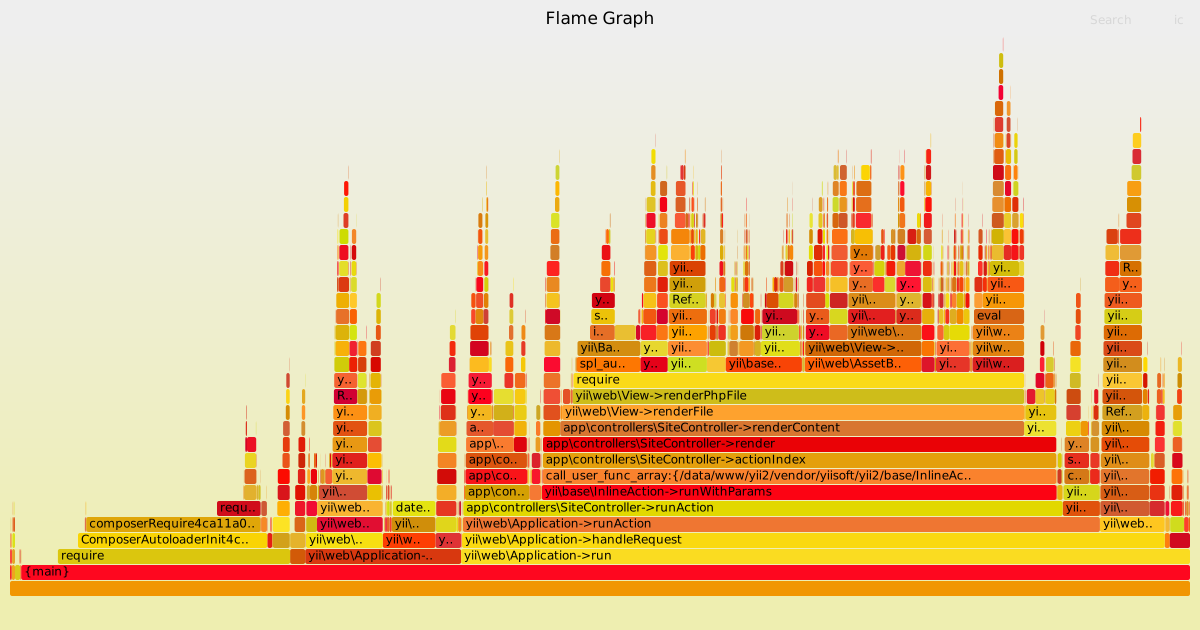
flamegraph是一款可视化工具,用户分析程序堆栈调用,x轴堆栈轨迹,y轴堆栈深度,x轴长度越长,占用更多cpu时间。下面简单介绍如何使用xdebug以及flamegraph生成火焰图

准备工作

配置xdebug参数

1
2
3
4
5
xdebug.trace_output_name = xdebug.trace.%t.%s
xdebug.trace_enable_trigger = 1
xdebug.trace_output_dir = /tmp
xdebug.trace_enable_trigger_value = "<secret key>"
xdebug.trace_format=1

下载flamegraph,git clone https://github.com/brendangregg/FlameGraph.git,放置在任意位置

flamegraph

获取堆栈数据

请求页面/接口url,在url后面增加?XDEBUG_TRACE=<secret key>,获取php堆栈数据 curl http://youdomain.com?XDEBUG_TRACE=<secret key>,如果是命令行命令,则在php命令后使用参数php -d xdebug.auto_trace=1

转换堆栈数据

1
./stackcollapse-xdebug.php /tmp/xdebug.trace.1579703170._data_www_yii2_web_index_php.xt > out.folded

生成火焰图

1
./flamegraph.pl out.folded > out.svg

示例

yii2 flamegraph example

参考

How to generate PHP Flamegraphs
Flame Graphs visualize profiled code

很长的一段时间,被xubuntu下的一个monospace字体显示问题困扰着,在网上找了很多方法也没有解决问题,在一次误打误撞的情况下解决了,简单把自己问题的过程记录下来,希望给一些小伙伴们帮助

问题描述

xubuntu下monospace在浏览器以及vscode下显示异常,具体如下图所示

浏览器chrome/firefox下的monospace

monofont display incorrect in browser

vscode下的monospace

monofont display incorrect in vscode

网上搜索结果大部分指示,是由于libfreetype6 2.8.1-2ubuntu2的一个bug导致,需要升级到最新的libfreetype2.9或者降级到libfreetype2.8.0,按照搜索的文档进行libfreetype的升级/降级后,显示效果依旧,问题没有得到解决

解决过程

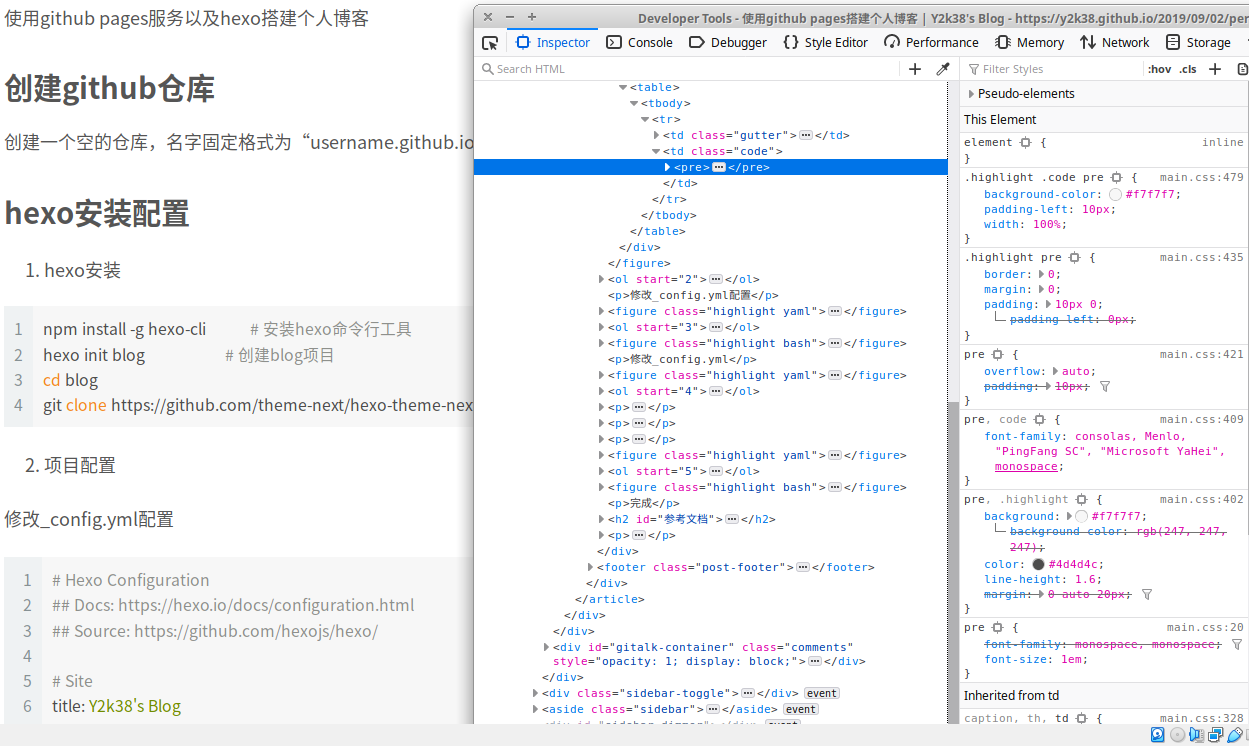
在我放弃治疗后过了一段时间,突然想起,一直以来都忽略了验证linux的字体信息。首先,获取显示异常的字体font-family,如下图

browser get font family

使用fc-match验证字体

1
2
3
4
5
6
7
8
9
10
11
12
13
14
$ fc-match monospace
DejaVuSansMono.ttf: "DejaVu Sans Mono" "Book"

$ fc-match consolas
DejaVuSansMono.ttf: "DejaVu Sans Mono" "Book"

$ fc-match Menlo
DejaVuSans.ttf: "DejaVu Sans" "Book"

$ fc-match "PingFang SC"
DejaVuSans.ttf: "DejaVu Sans" "Book"

$ fc-match "Microsoft YaHei"
NotoSansCJK-Regular.ttc: "Noto Sans CJK SC" "Regular"

可以看到Menlo、”PingFang SC”、”Microsoft YaHei”的实际字体跟monospace并不一致,抱着死马当活马医的心态,编辑字体配置文件~/.config/fontconfig/fonts.conf,内容如下,

1
2
3
4
5
6
7
8
<?xml version='1.0'?>
<!DOCTYPE fontconfig SYSTEM 'fonts.dtd'>
<fontconfig>
<alias>
<family>Menlo</family>
<prefer><family>DejaVu Sans Mono</family></prefer>
</alias>
</fontconfig>

退出,重新登录,发现这个困扰了很久的问题终于解决,如下图

monofont the correct view

vscode可以通过更改font-family恢复正常的显示效果

注意

ubuntu/xubuntu、中文/英文的系统默认的字体会有些许差异,以上的操作可能不一定生效,可以新增~/.config/fontconfig/conf.d/00-menlo.conf

1
2
3
4
5
6
7
8
9
10
<?xml version="1.0"?>
<!DOCTYPE fontconfig SYSTEM "fonts.dtd">
<fontconfig>
<alias binding="same">
<family>Menlo</family>
<accept>
<family>DejaVu Sans Mono</family>
</accept>
</alias>
</fontconfig>

参考文档

[Ubuntu 18.04 LTS] Font not rendering properly
Ubuntu 18.04 LTS Font not rendering properly
Why doesn’t fc-match respect my match and edit rule for Courier when it does for Consolas?

工欲善其事必先利其器,xdebug是php开发的一个杀手级利器,vagrant是一款非常便捷的虚拟机管理工具,两者搭配有时会出现一些奇怪的问题,近期在重新配置开发环境时,出现xdebug连不上的异常情况,花了些时间才找到问题并解决,记录下解决问题的过程,希望能帮助到一些小伙伴

问题及解决过程

异常情况

xdebug配置后,客户端多次请求,vscode均无任何反应。检查服务端、客户端配置,确认没有差错;监测网络数据,只有初次请求数据,无结果返回

客户端/服务器配置信息

服务器是vagrant + ubuntu 18.04 + PHP 7.4,客户端是Windows 10,编辑器是vscode

初始xdebug配置如下

1
2
3
4
5
6
7
8
[xdebug]
xdebug.remote_enable = 1
xdebug.remote_autostart = 1
xdebug.remote_port = 9001
xdebug.remote_handler = "dbgp"
xdebug.remote_mode = req
xdebug.remote_connect_back = 1
xdebug.overload_var_dump=0

vscode配置launch.json如下

1
2
3
4
5
6
7
8
9
10
11
12
13
14
15
{
"version": "0.2.0",
"configurations": [
{
"name": "Listen for XDebug",
"type": "php",
"request": "launch",
"port": 9001,
"pathMappings": {
"/data/example": "D:\\data\\example"
},
"log": true
}
]
}

开启xdebug日志监测

1
xdebug.remote_log=/tmp/xdebug.log

再次请求,获取日志数据如下

1
2
3
4
5
6
7
[140114918627520] Log opened at 2019-09-04 11:49:00
[140114918627520] I: Checking remote connect back address.
[140114918627520] I: Checking header 'HTTP_X_FORWARDED_FOR'.
[140114918627520] I: Checking header 'REMOTE_ADDR'.
[140114918627520] I: Remote address found, connecting to 192.168.33.1:9001.
[140114918627520] E: Time-out connecting to client (Waited: 200 ms). :-(
[140114918627520] Log closed at 2019-09-04 11:49:00

日志显示服务端有正常向客户端9001端口发起连接,但客户端无响应导致超时,检查客户端防火墙无异常

最后,在谷歌上找到一个类似的问题,发现问题与vagrant有关,具体问题描述见参考文档链接

解决方法

1
2
3
; 移除 xdebug.remote_connect_back = 1
; 添加
xdebug.remote_host=10.0.2.2

重启php-fpm,再次测试,vscode可连接xdebug,问题解决

参考文档

How to configure Xdebug in PhpStorm through Vagrant
xdebug Time-out connecting to client

在网上找到几篇基于PHP5的扩展开发的文章,有些古老,与PHP7不完全兼容,自己做了些简单的翻译、修改。

建议开发者先阅读PHP Internals Book这份在线文档,里面对PHP做了比较全面的讲解。由于PHP扩展开发的资料比较少,也鲜有PHP开发者触及到这块,编写扩展时如果遇到问题,最好是先查找PHP源代码是否有相关的使用案例,再通过网上论坛、QQ等方式寻求帮助。

本文是PHP扩展开发系列的第一篇,主要介绍如何开发一个简单的PHP扩展、如何获取ini配置参数、如何配置全局变量

前期准备:

PHP编译选项加入--enable-debug以及--enable-maintainer-zts--enable-debug生成额外的调试符号,并将优化等级设置为-O0,报告内存泄露等错误,使使用gdb进行debug时更为准确;--enable-maintainer-zts启用线程安全,开启ZTS宏定义,配置PHP为TSRM机制,用于编写调试多线程代码

Hello World

扩展目录结构

你可能会使用PHP源代码自带的脚本ext/ext_skel.php生成扩展骨架,但这里选择极简方式创建一个扩展,最基本的扩展只需要三个文件:配置文件config.m4,头文件php_test.h,源文件test.c

test扩展目录结构

1
2
3
4
5
6
php-7.4.1
└── ext
└── test
├── config.m4
├── php_test.h
└── test.c
阅读全文 »

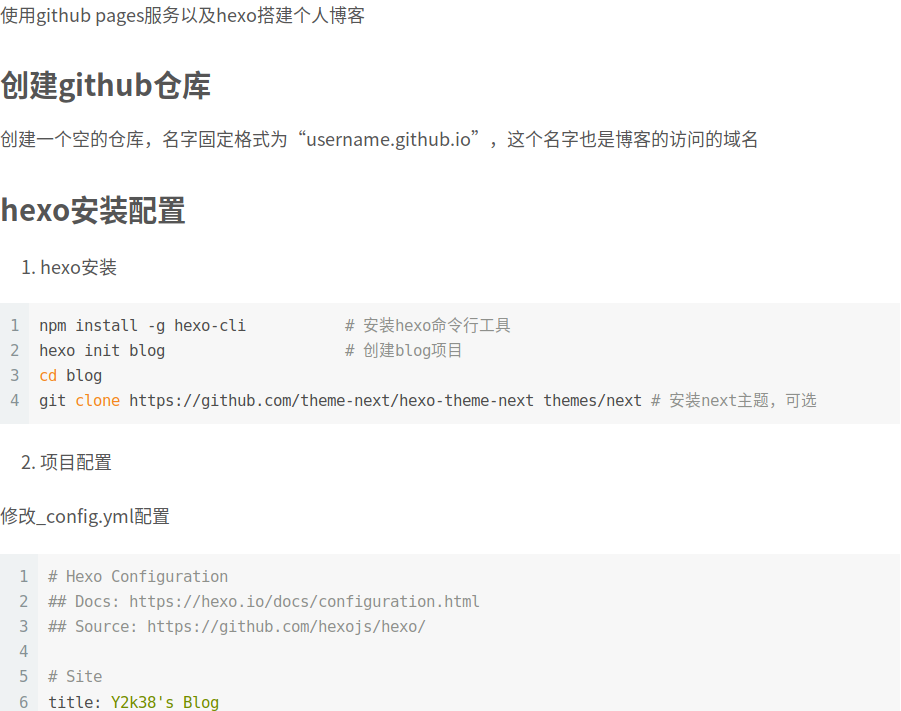
简单介绍如何使用github pages服务以及hexo搭建一个免费的个人博客

准备

创建仓库

创建一个空的仓库,名字固定格式为“username.github.io”,这个名字也是博客的访问的域名

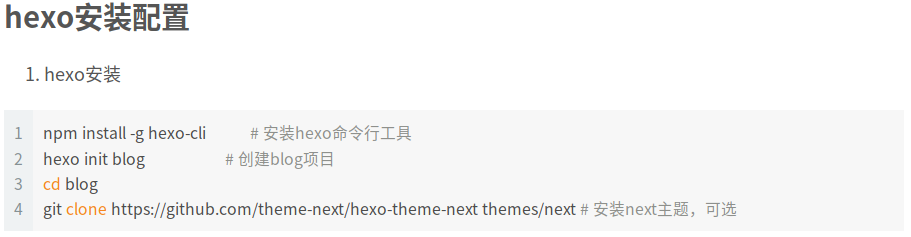
安装hexo

1
2
3
4
5
6
7
npm install -g hexo-cli           # 安装hexo命令行工具
hexo init blog # 创建blog项目

cd blog
git clone https://github.com/theme-next/hexo-theme-next themes/next # 安装next主题,可选

npm install hexo-deployer-git --save # 安装github发布工具

配置

配置hexo

修改_config.yml

1
2
3
4
5
6
7
8
9
10
11
12
13
14
15
16
17
18
19
20
21
22
23
24
25
26
27
28
29
30
31
32
33
34
35
36
37
38
# 基础配置
# Hexo Configuration
## Docs: https://hexo.io/docs/configuration.html
## Source: https://github.com/hexojs/hexo/

# Site
title: Y2k38's Blog
subtitle:
description: y2k38's blog
keywords:
author: y2k38
language: zh-CN
timezone:

# URL
## If your site is put in a subdirectory, set url as 'http://yoursite.com/child' and root as '/child/'
url: https://y2k38.github.io
root: /
permalink: :year/:month/:day/:title/
permalink_defaults:

...

# 博客主题配置
# Extensions
## Plugins: https://hexo.io/plugins/
## Themes: https://hexo.io/themes/
theme: next # 可选,若没有安装next主题,则忽略

...

# github部署配置
# Deployment
## Docs: https://hexo.io/docs/deployment.html
deploy:
type: git
repo: https://github.com/Y2k38/y2k38.github.io.git
branch: master # 注意,分支固定位master

发布github

1
hexo clean && hexo deploy

完成

其他

添加gitalk评论系统

[Deprecated] github要求校验方式改为personal access token,待gitalk作者及theme-next作者更新

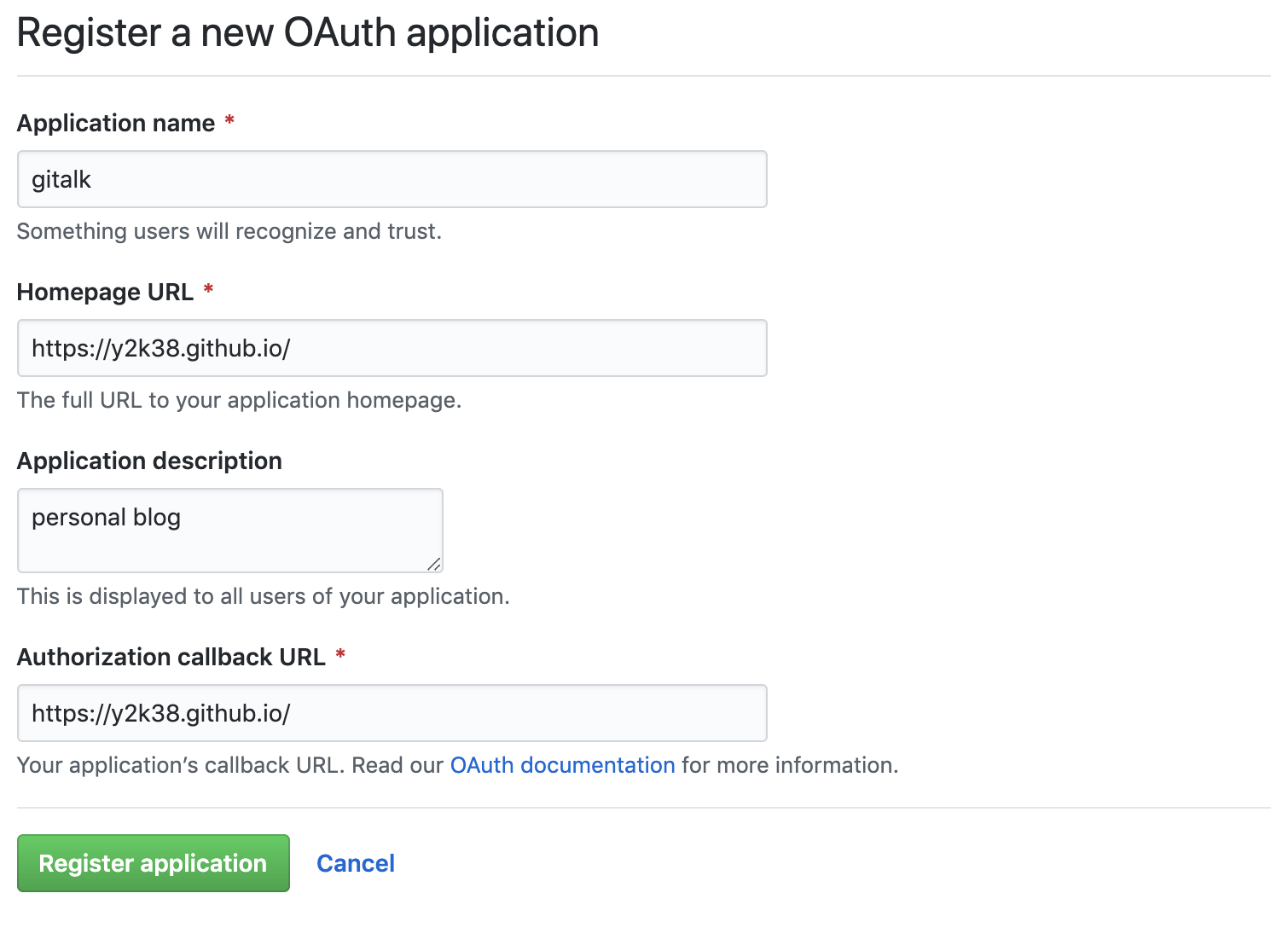
新建OAuth application获取id、secret,https://github.com/settings/applications/new

new oauth app

配置next主题 themes/next/_config.yml

1
2
3
4
5
6
7
8
9
10
11
12
13
14
15
# Gitalk
# Demo: https://gitalk.github.io
# For more information: https://github.com/gitalk/gitalk, https://github.com/emn178/js-md5
gitalk:
enable: true
github_id: y2k38 # GitHub repo owner
repo: y2k38.github.io # Repository name to store issues
client_id: xxxxxxxxxxxxxxxx # GitHub Application Client ID
client_secret: yyyyyyyyyyyyyyyy # GitHub Application Client Secret
admin_user: Y2k38 # GitHub repo owner and collaborators, only these guys can initialize gitHub issues
distraction_free_mode: true # Facebook-like distraction free mode
# Gitalk's display language depends on user's browser or system environment
# If you want everyone visiting your site to see a uniform language, you can set a force language value
# Available values: en | es-ES | fr | ru | zh-CN | zh-TW
language: zh-CN

参考文档

GitHub Pages
How to use Hexo and deploy to GitHub Pages
Creating a personal access token for the command line

简单介绍如何生成https服务所需要的证书、私钥以及部署,文档分别描述了开发时使用的self-signed证书以及线上使用的let’s encrypt免费证书的生成方法

自签名证书

创建证书以及私钥

1
sudo openssl req -x509 -nodes -days 365 -newkey rsa:2048 -keyout /etc/ssl/private/nginx-selfsigned.key -out /etc/ssl/certs/nginx-selfsigned.crt
  • req: 指定X.509证书签名请求(CSR)管理

  • -x509: 生成self-sigend证书

  • -nodes: 不使用密码

  • -days 365: 证书有效期

  • -newkey rsa:2048: 生成证书的同时生成私钥,rsa加密算法,2048位

  • -keyout: 私钥的存储路径

  • -out: 证书的存储路径

信息填写

1
2
3
4
5
6
7
Country Name (2 letter code) [AU]:US
State or Province Name (full name) [Some-State]:New York
Locality Name (eg, city) []:New York City
Organization Name (eg, company) [Internet Widgits Pty Ltd]:Bouncy Castles, Inc.
Organizational Unit Name (eg, section) []:Ministry of Water Slides
Common Name (e.g. server FQDN or YOUR name) []: example.com (or server_IP_address)
Email Address []:admin@your_domain.com
阅读全文 »
0%